🔍 What is this project about?
The Student Canvas System is a WPF-based application designed to help students, teachers, and admins manage academic records, classes, and users effectively. It follows a structured approach and ensures ease of use across all roles.
✨ Project Features
- Student Panel: View subjects and teachers.
- Teacher Panel: Manage students and classes.
- Admin Panel: Full access to manage data and users.
🧠 In-Depth Explanation
The app uses MVVM architecture and stores data using SQL databases with Entity Framework. More features like user login are planned for the future.
📖 Project Analysis
This project is a WPF (Windows Presentation Foundation) application designed specifically for educational environments. The goal is to provide a platform where both students and teachers can manage academic-related tasks easily. The application allows students to create an account, log in securely, and access various academic features such as viewing their class schedules, assigned teachers, grades, and homework. On the other hand, teachers have access to a different set of functionalities, allowing them to add or remove students from their classes, check student lists, and manage class content. The idea is to make academic tracking and communication between students and teachers much more efficient and centralized within a single desktop application. Some of the core features include a user authentication system that differentiates between student and teacher accounts, a dynamic dashboard that adapts based on the user type, and a database backend to store all the necessary information like user profiles, class information, grades, and homework assignments. There's also a clean and user-friendly interface that makes navigation intuitive. Overall, the app is meant to enhance school communication and organization.
🖼️ Project Visuals
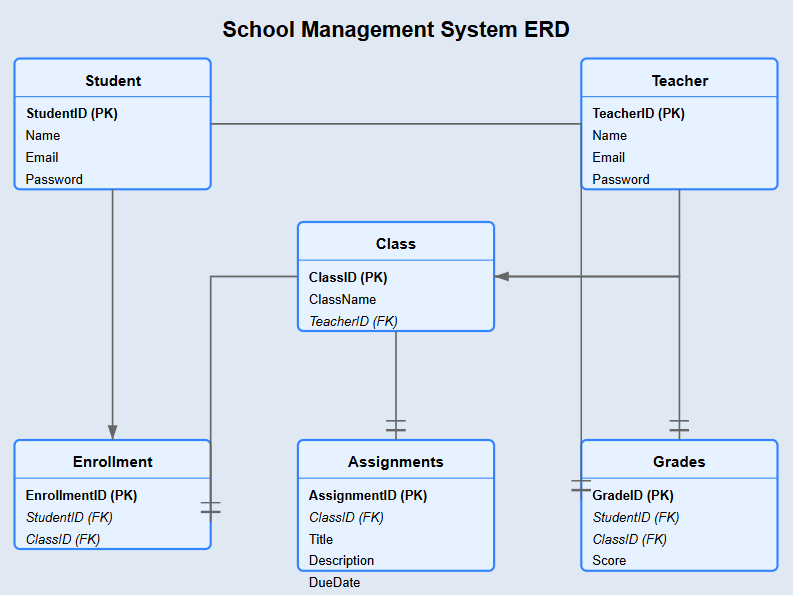
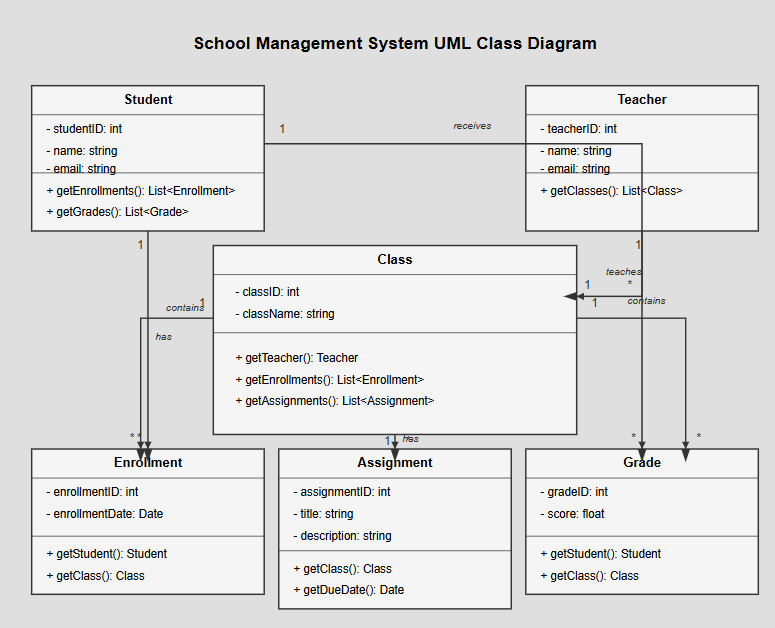
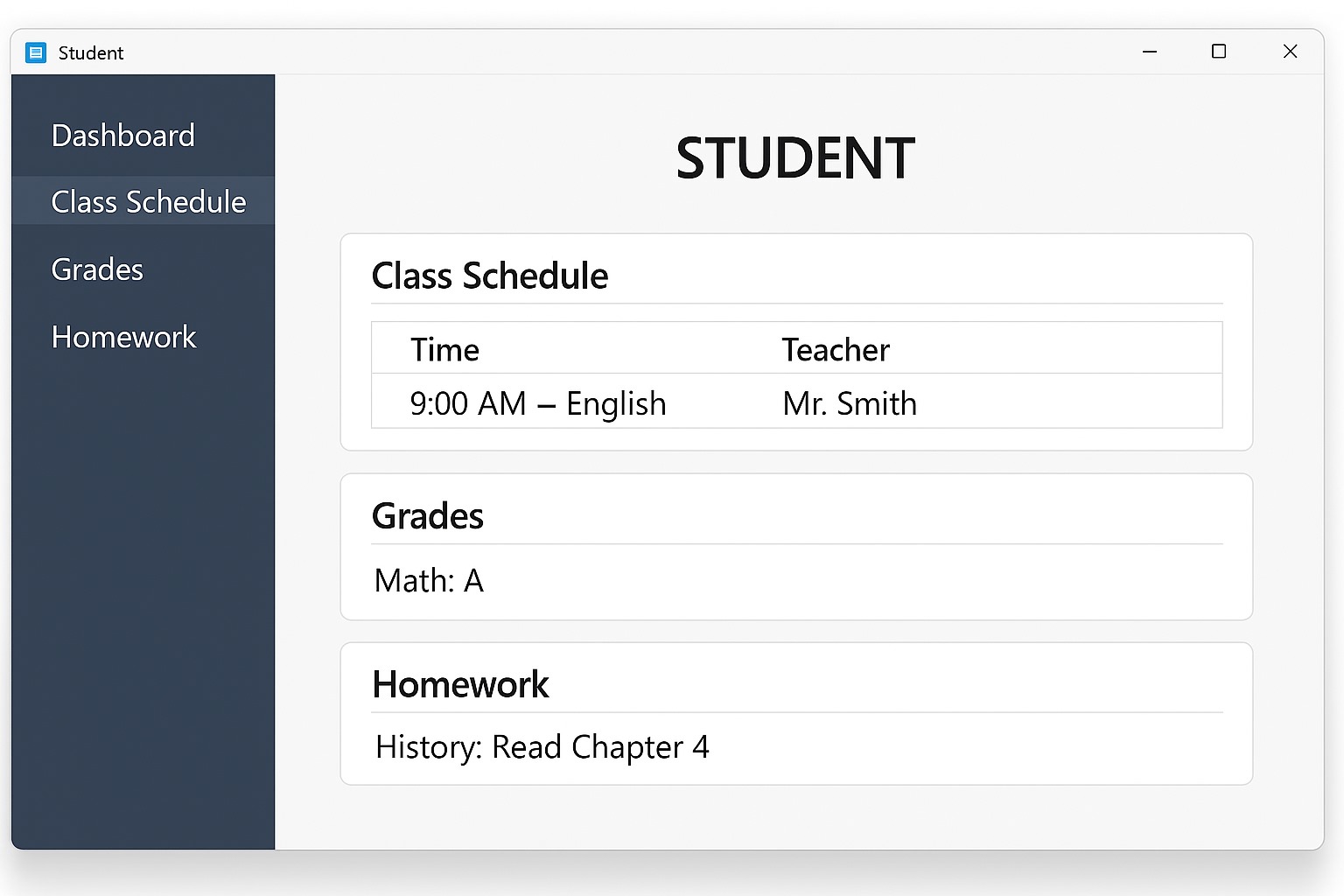
Here are the diagrams and wireframes that visually explain the project:
📊 Entity-Relationship Diagram (ERD)
📈 UML Diagram
🖥️ Student Wireframe
🧑🏫 Teacher Wireframe
